One-click payroll
Run SSS, PhilHealth and Pag-IBIG deductions, overtime and tax for the whole payroll in a single step.
SSS
PhilHealth
Pag-IBIG
Withholding tax
Run SSS, PhilHealth and Pag-IBIG deductions in one click, sync biometric attendance, and keep payroll data on your own hardware.
Payroll run
Oct 16–31 · 128 employees
| Employee | SSS | PhilHealth | Pag-IBIG | Net pay |
|---|---|---|---|---|
| Reyes, M. | 1,350 | 900 | 200 | ₱27,420 |
| Santos, J. | 1,125 | 787 | 200 | ₱22,760 |
| Dela Cruz, A. | 1,575 | 1,050 | 200 | ₱31,980 |
Biometric sync
128 / 128
logs matched
AI engine
On-premise
0 external calls
Sample data for illustration
Built around Philippine payroll and compliance rules
4
Statutory contributions and tax computed for you
SSS, PhilHealth, Pag-IBIG, BIR
3 sec
Selfie clock-in with face verification
Offline-first on kiosks and phones
24/7
AI assistant for employee questions
Leave, COE and policy checks
0
External AI calls carrying your data
Runs on your hardware or private network
From the biometric clock to the payslip, one system handles the work and keeps the data in your hands.
Run SSS, PhilHealth and Pag-IBIG deductions, overtime and tax for the whole payroll in a single step.
Pull logs from your attendance devices and turn them into late, undertime and overtime entries without re-keying.
Each organization gets its own AI engine and data store. Nothing is shared between tenants or sent to outside services.
AI + data
AI + data
Run on a local GPU server such as an RTX 3060, or on a private mesh over Tailscale. You choose where the data lives.
Turn handbooks and company policies into short summaries that staff can read in a minute.
Arrivals beyond fifteen (15) minutes shall be deducted in proportion to the time missed.
What changes for your HR and payroll team on day one.
Finance, HR, executives and employees each get the screens and tools they need, on the phone in their pocket.
Centralized system for payroll, expense tracking and financial reporting. Reduces manual data entry errors, streamlines salary disbursement and enables accurate budget forecasting.
How it changes your work
More focus on analysis than data entry, faster closing cycles, and new approval workflows to follow.
Encrypted data transmission, role-based access controls and audit trails for all transactions.
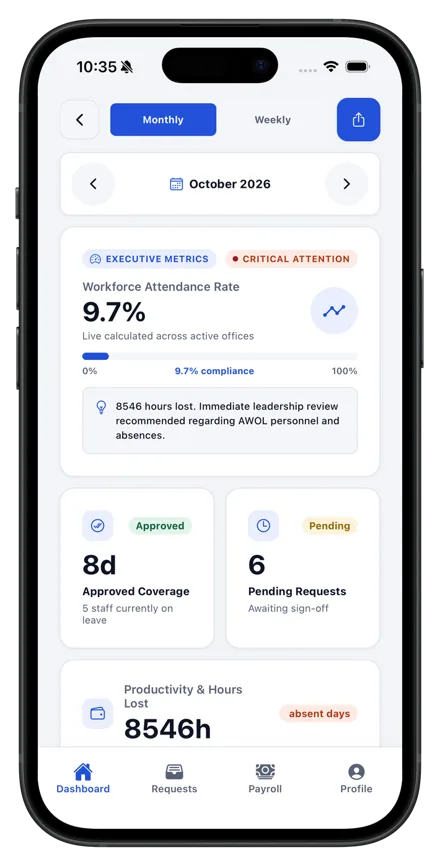
Single source of truth for all employee data and HR processes. Eliminates scattered spreadsheets, automates leave and attendance, and simplifies compliance documentation.
How it changes your work
Digital-first document handling, real-time data access and automated approval processes.
Confidential information safeguards, compliance with data privacy laws and limited access to sensitive records.
Real-time insights into workforce and organizational performance. Enables data-driven decisions, improves operational efficiency and gives visibility into headcount and costs.
How it changes your work
Real-time business intelligence, better compliance tracking and faster strategic planning.
Compliance with regulations, data backup and disaster recovery, and risk mitigation measures.
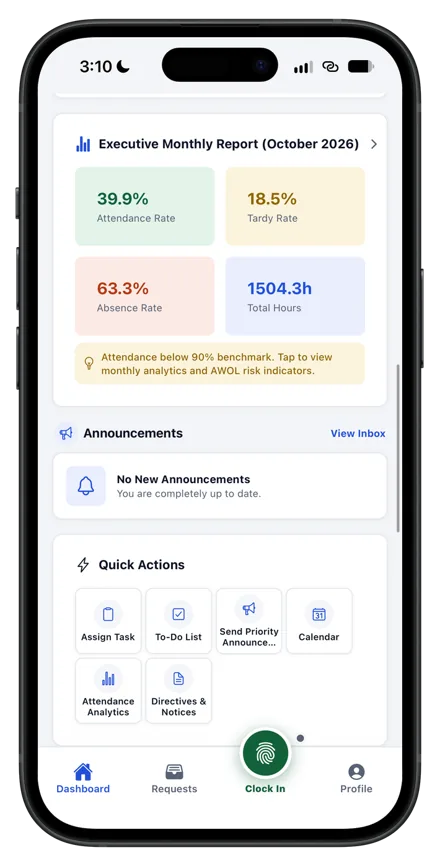
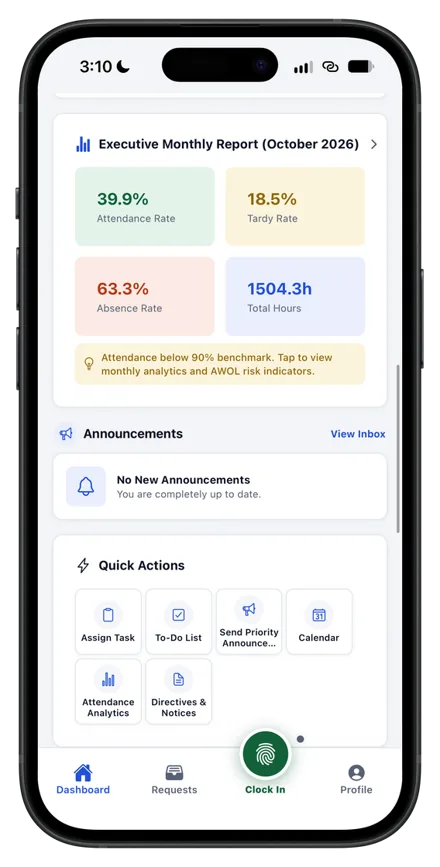
Easy-to-use platform to manage work-related information. Access payslips anytime, request time off easily and update personal information.
How it changes your work
No more manual form submissions, faster leave approvals and better access to personal information.
Personal information is protected, only authorized people can access it, and login is secure and private.
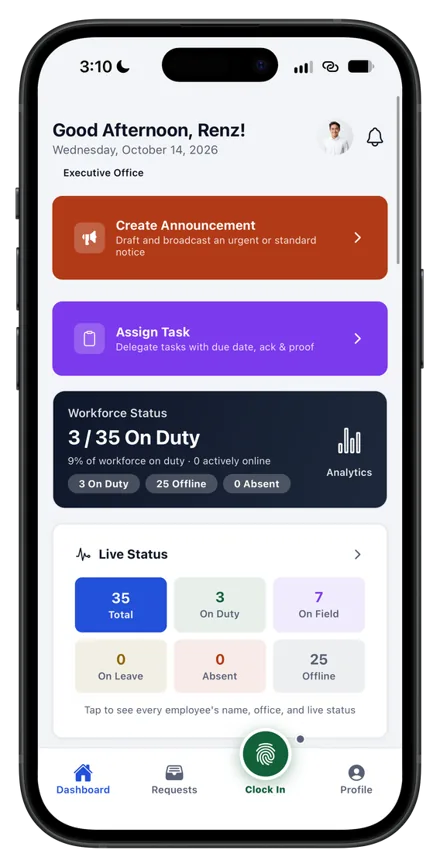
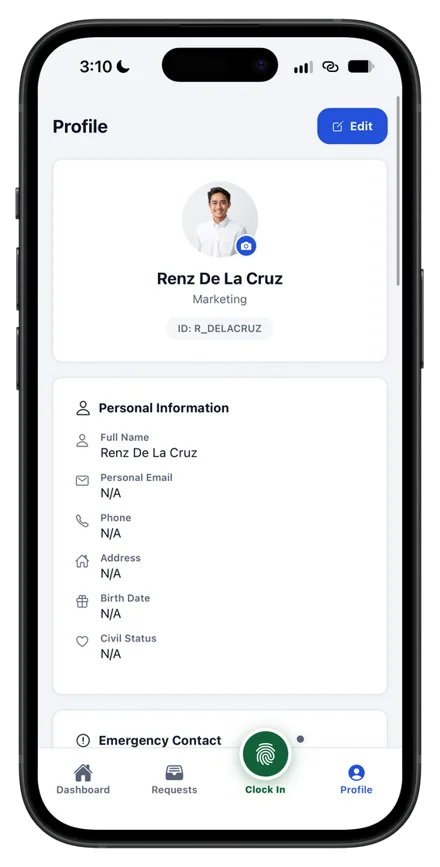
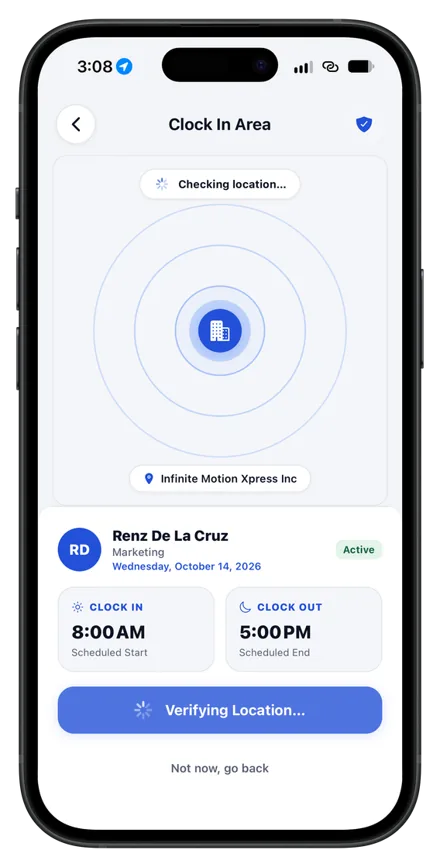
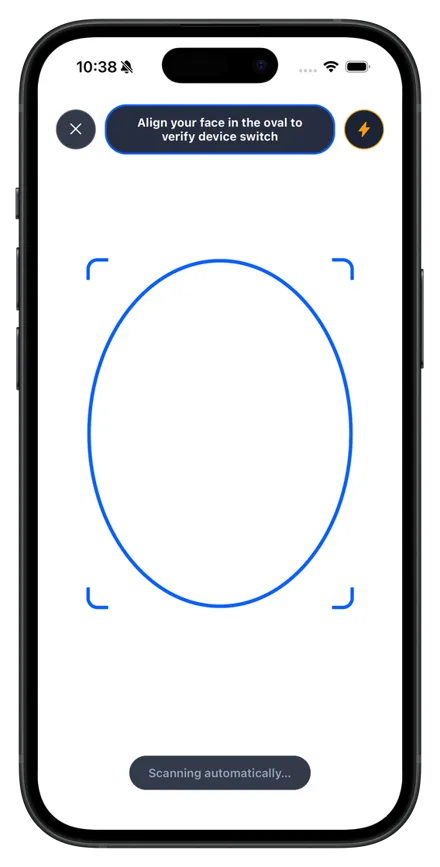
Secure, passwordless attendance that knows when staff are on site or on field work.
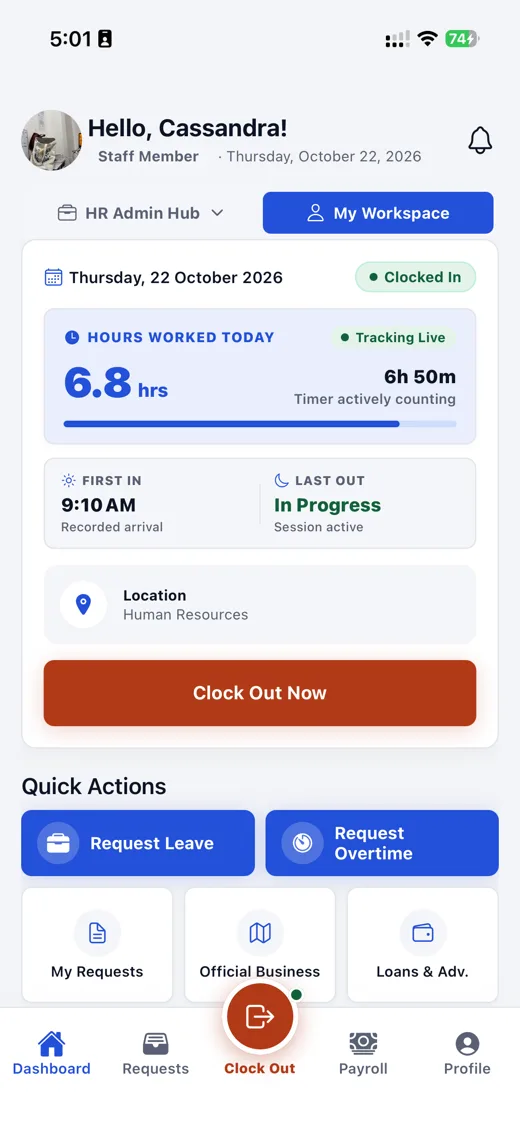
The same screens as the real app, with sample data. Pick a role, then tap through the phone app and the web dashboard. They share data, so what you file on one shows up on the other.
What every employee sees. Clock in, file a leave, check your pay.
Hello, Sam!
Staff Member · Thursday, October 22, 2026
Thursday, 22 October 2026
Clocked InHours worked today
● Tracking live6.8 hrs
First in
9:10 AM
Last out
In progress
Quick Actions
The web dashboard for HR and finance, and the app in your staff's pocket. These are screenshots of the working system.
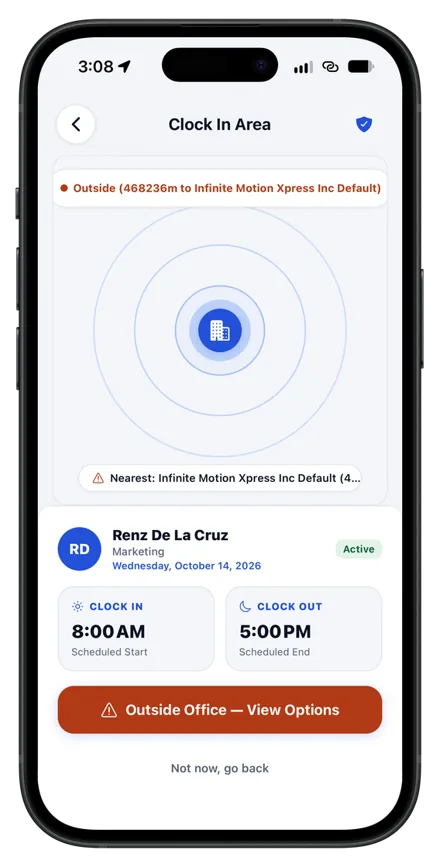
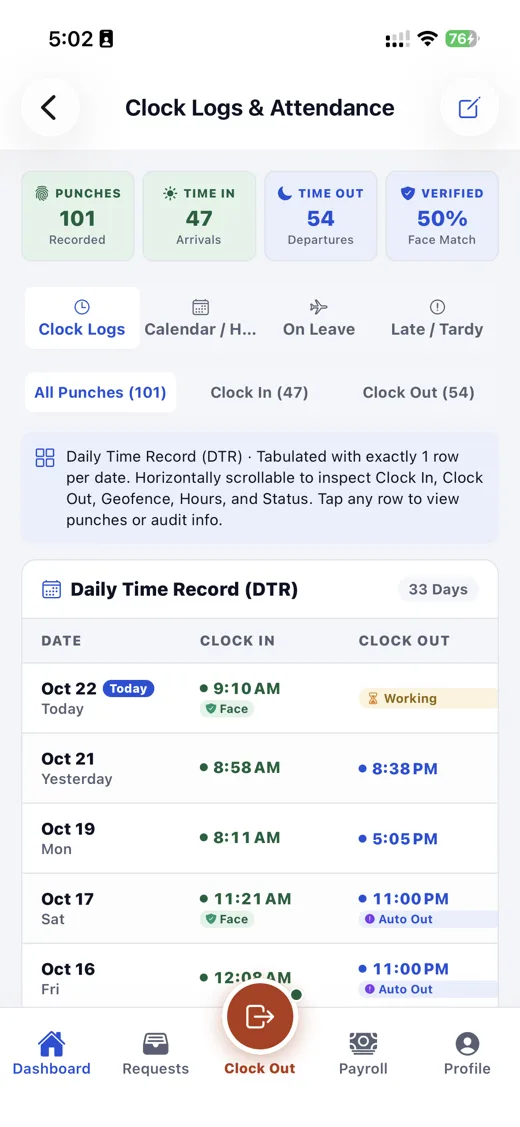
Staff scan their face to clock in from their authorized office radius. HR sees attendance and tardiness by office on the web dashboard.
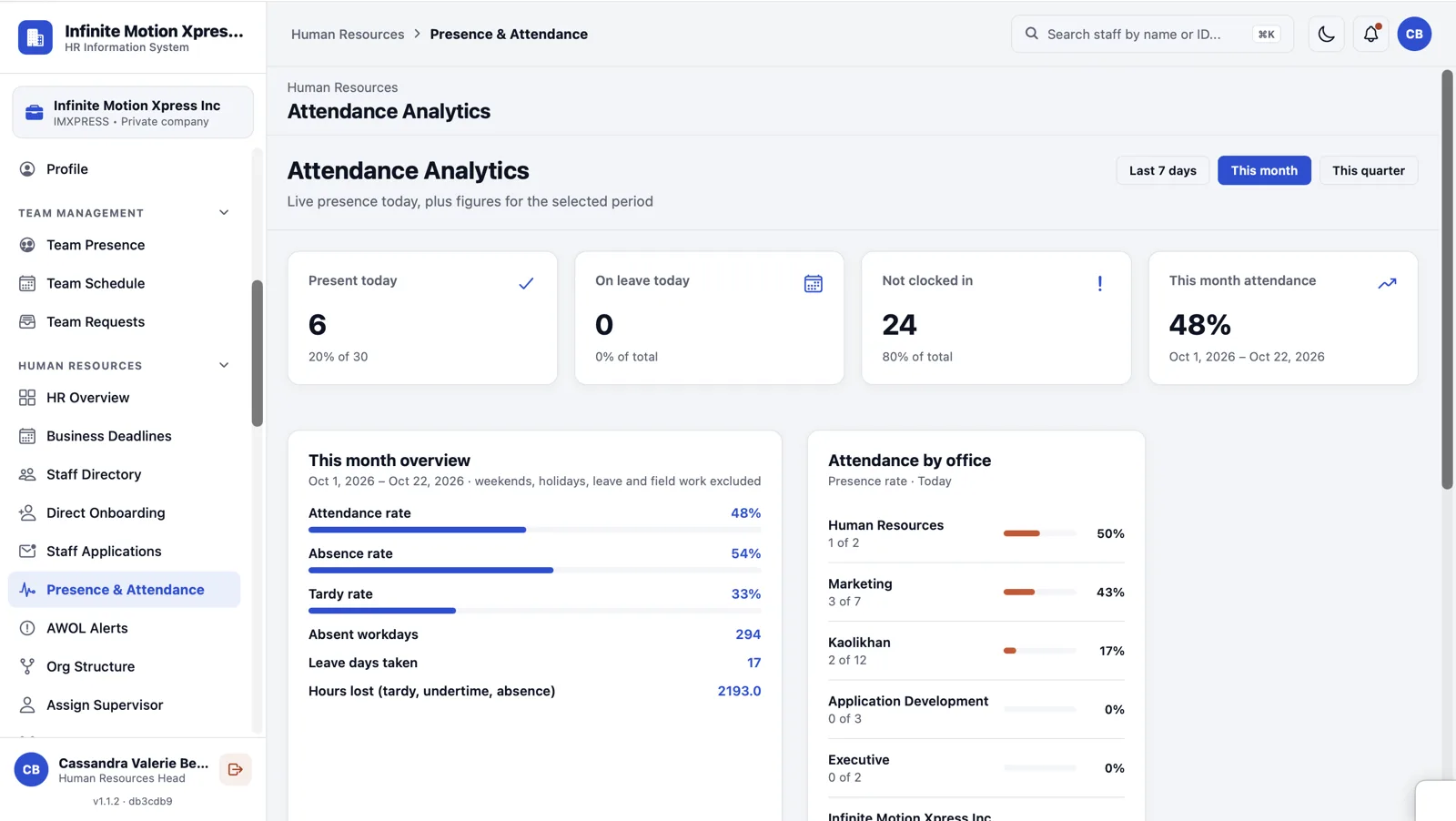
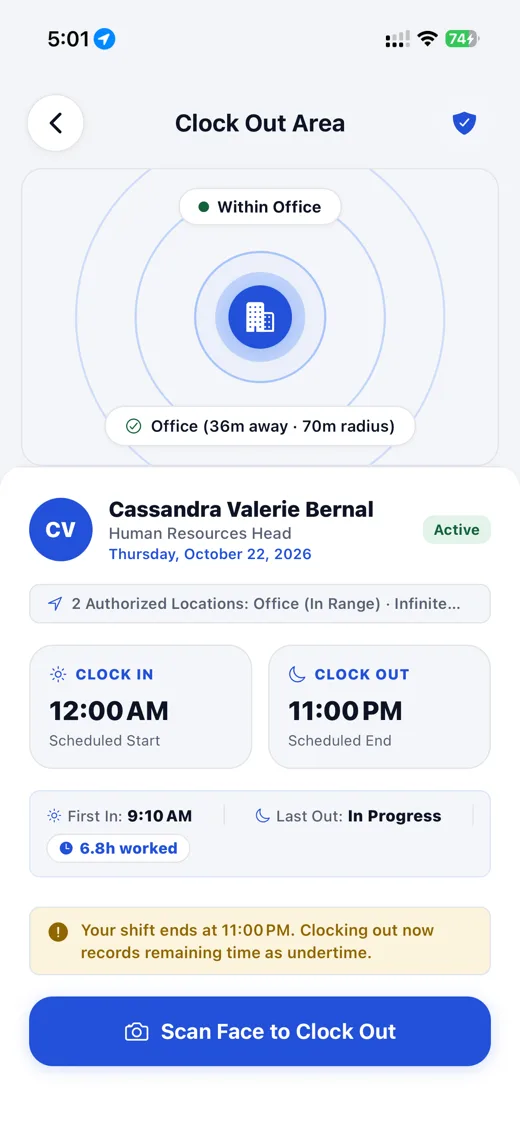
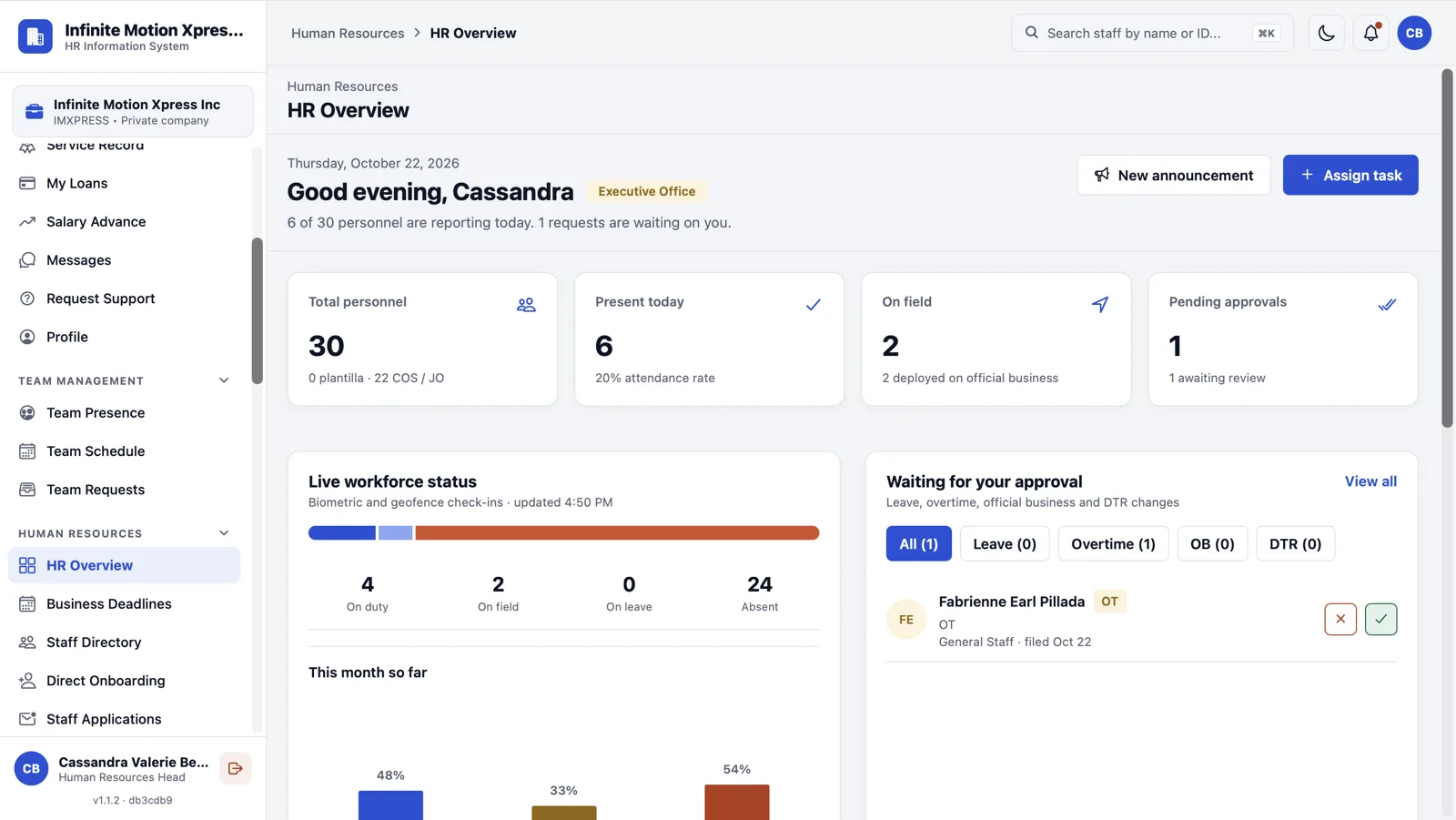
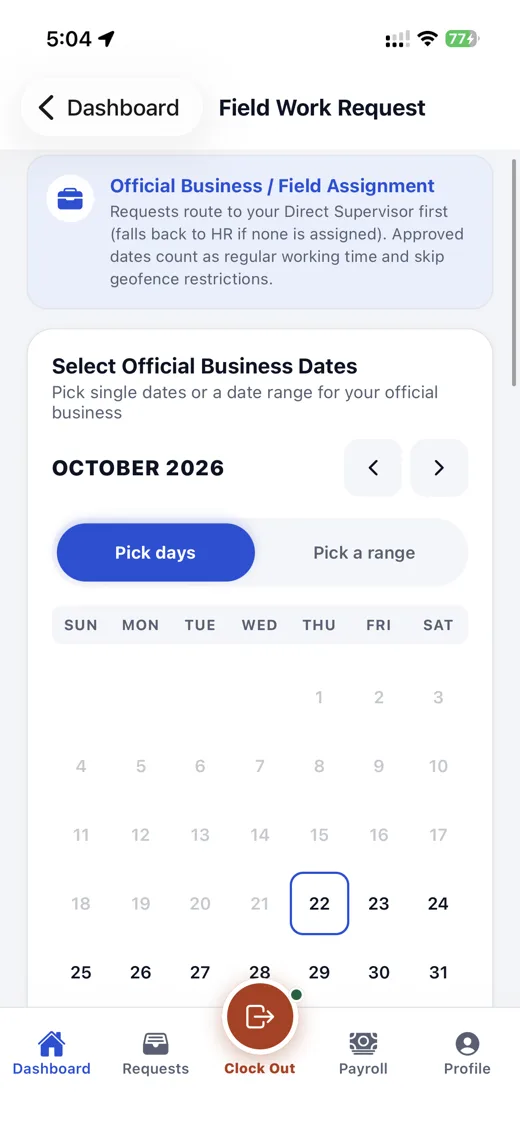
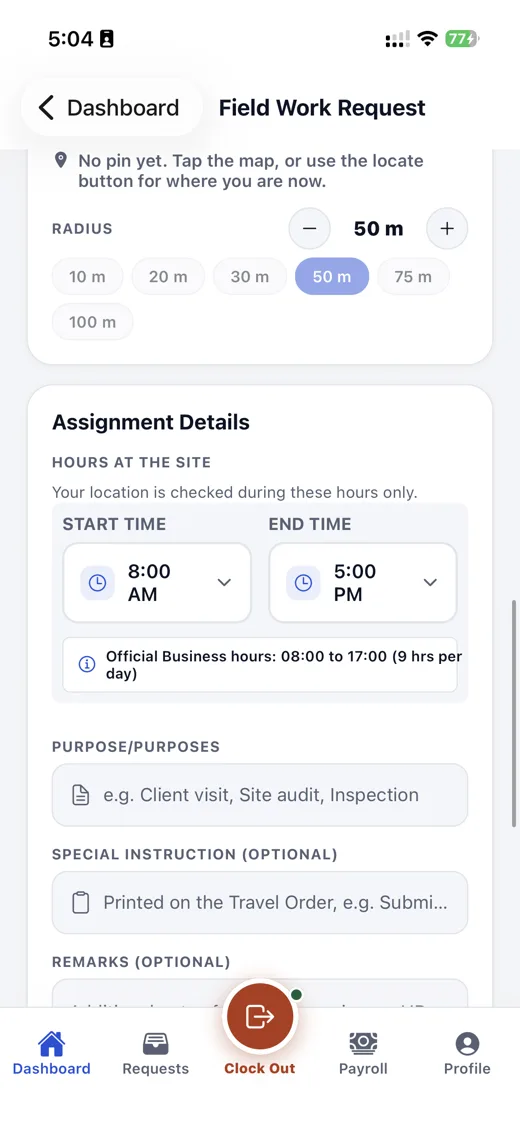
Staff request official business for set dates and pin the work location. HR watches who is on duty, on field or on leave in one live view.
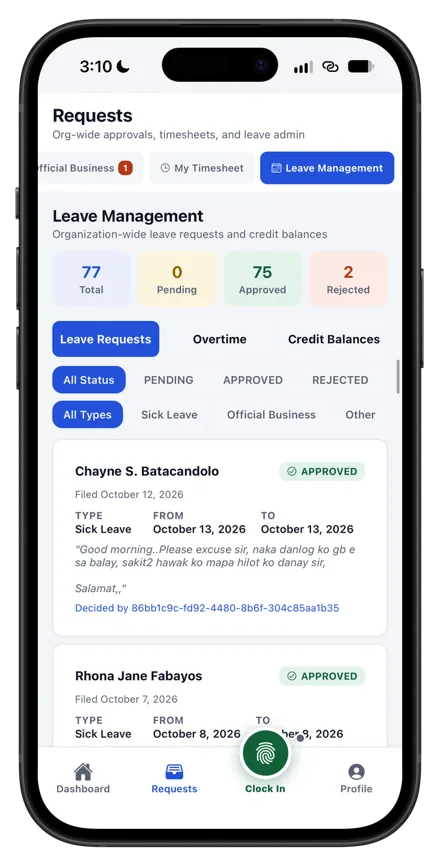
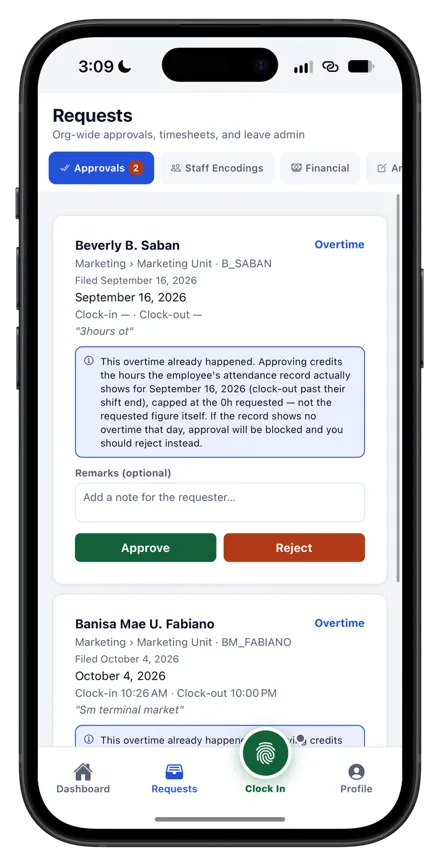
Staff file leave and overtime from their phone and follow every request and balance. Approvers work through a single queue.
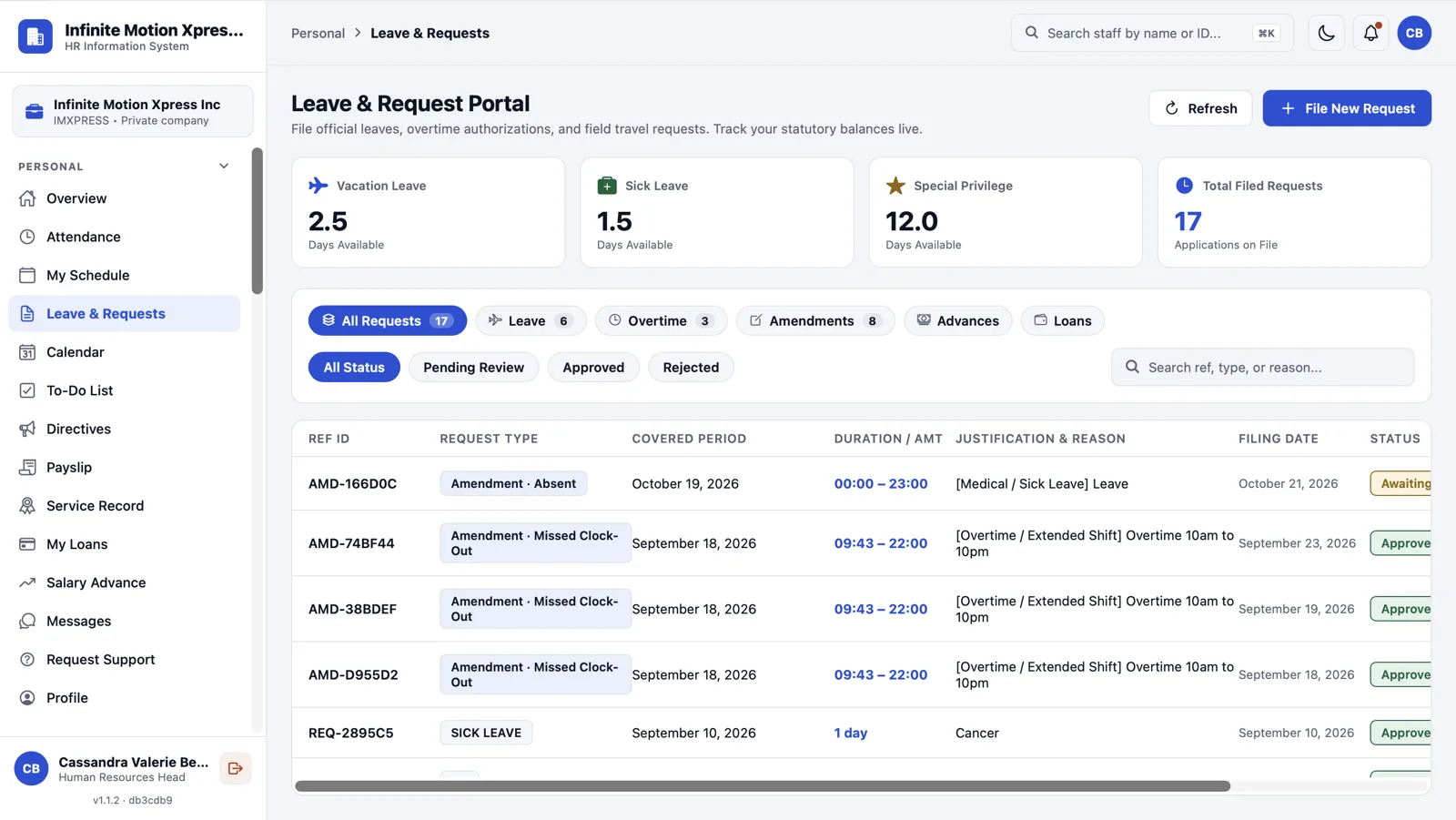
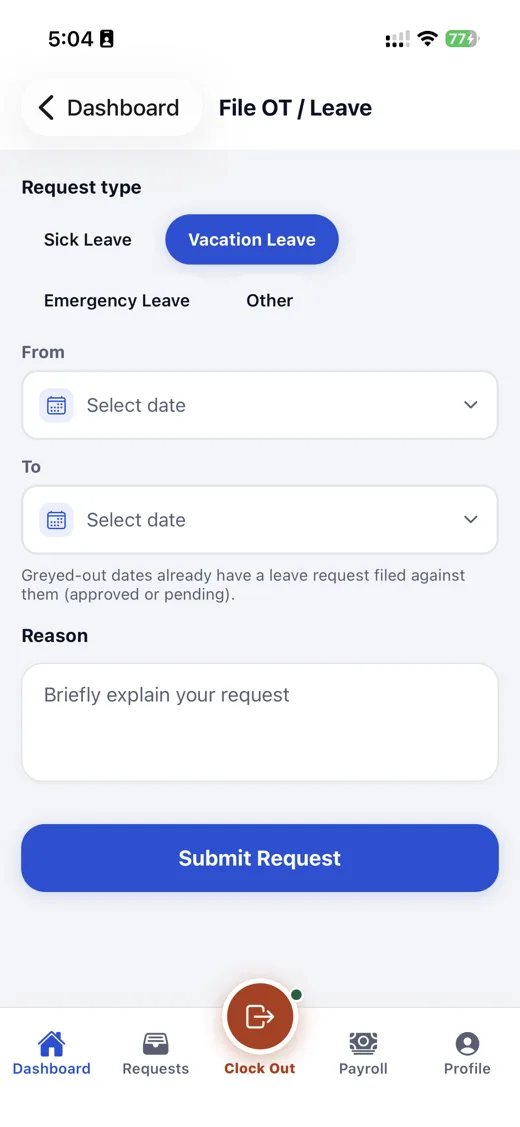
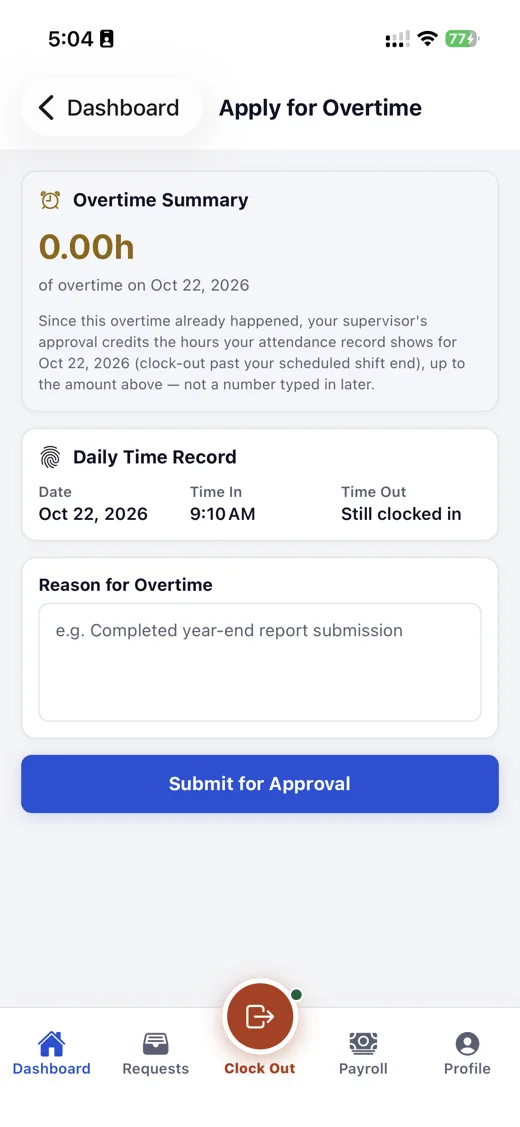
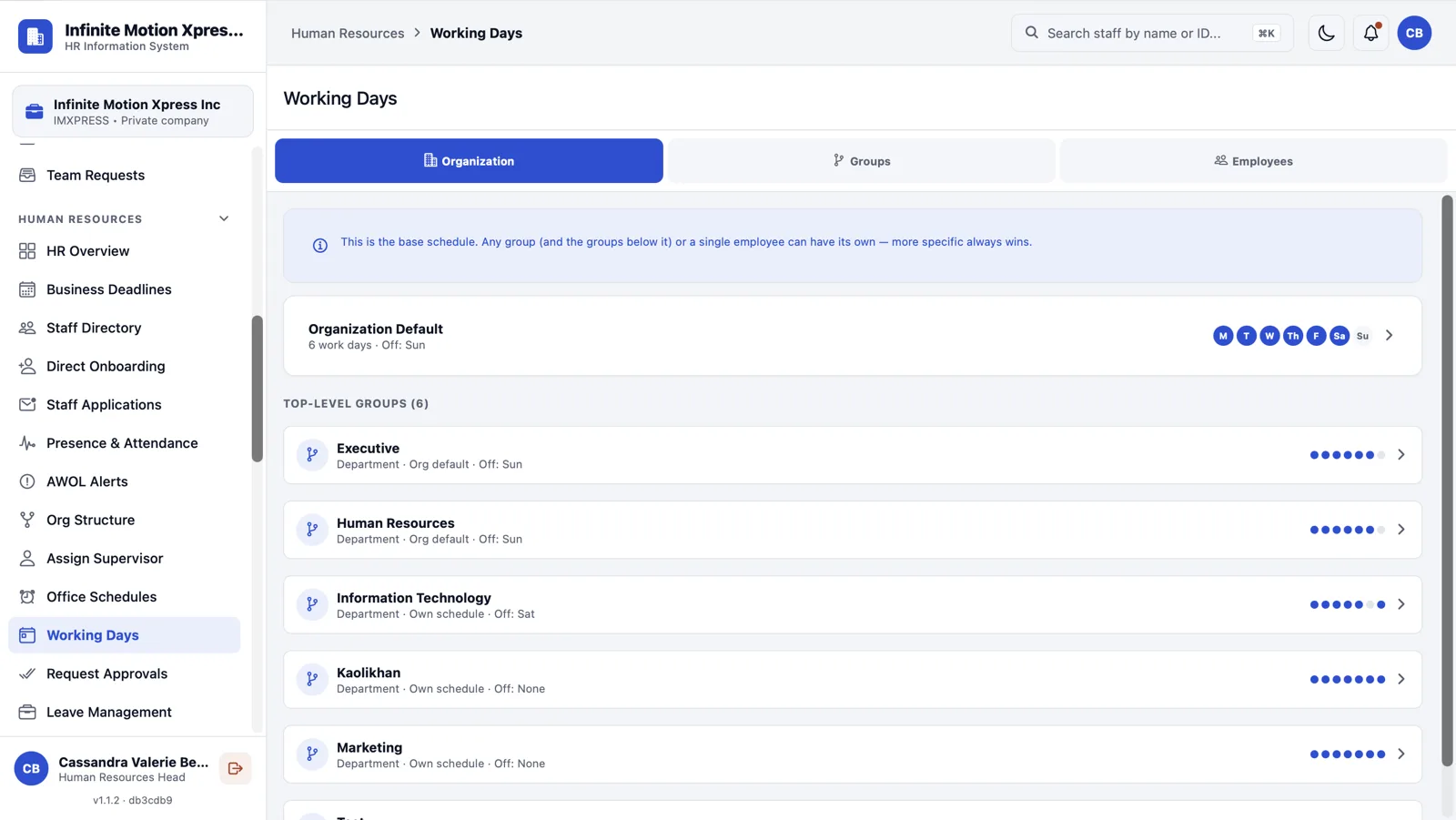
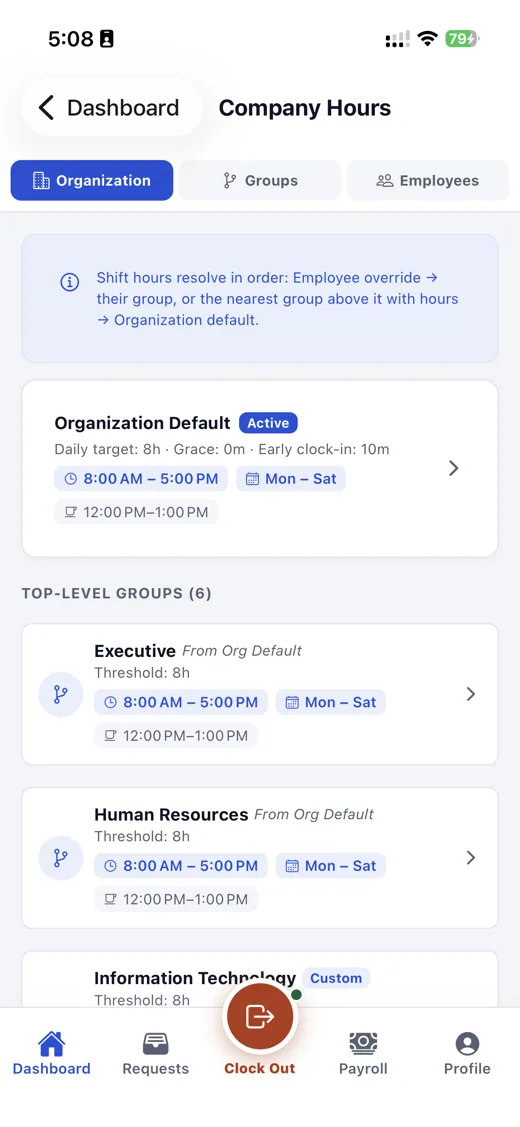
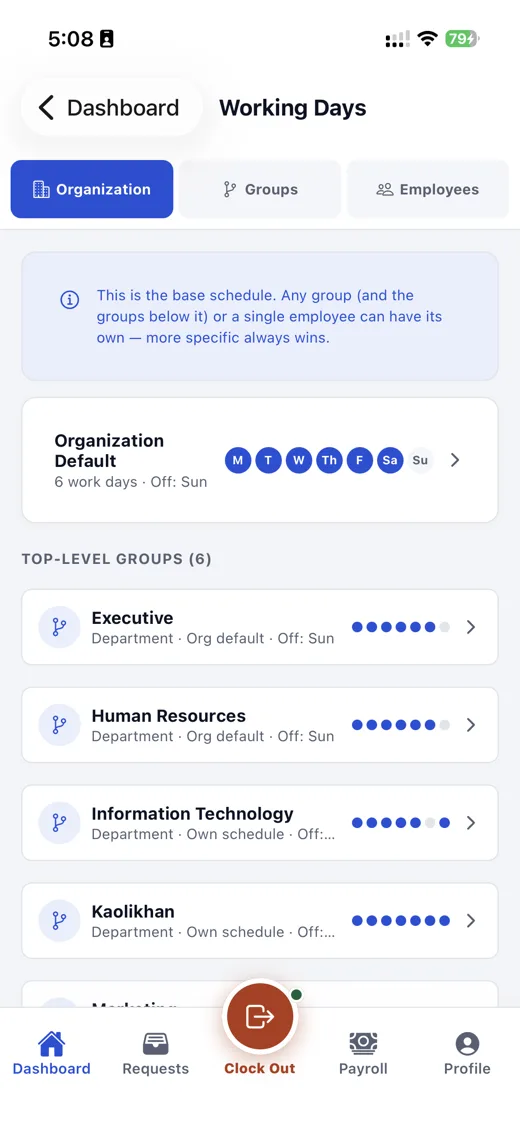
Set an organization-wide default, then override it for a department or group. Duty hours, breaks and working days follow.
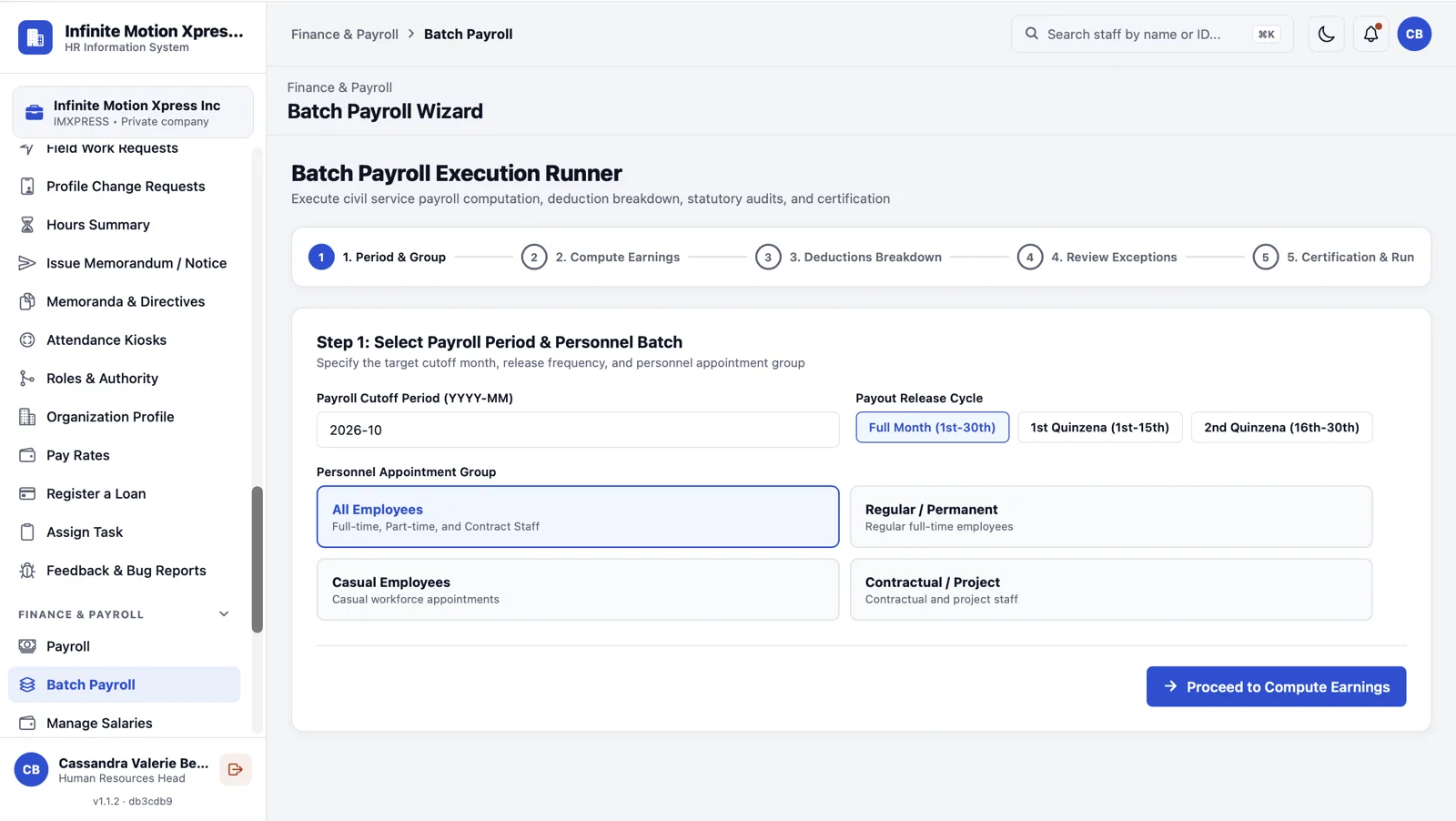
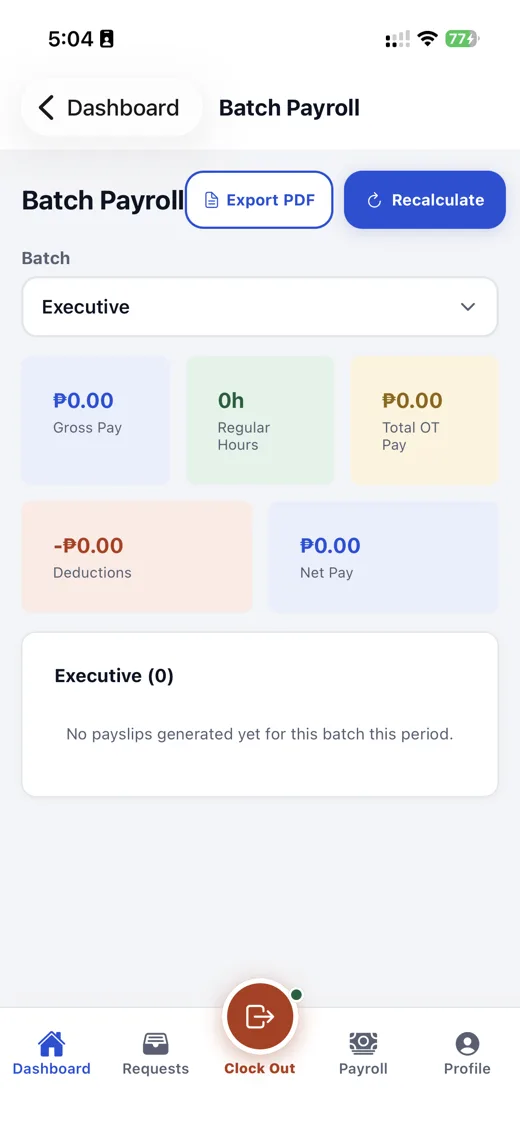
Pick the period and group, compute earnings, review deductions and exceptions, then certify. Finance runs a whole batch from one wizard.
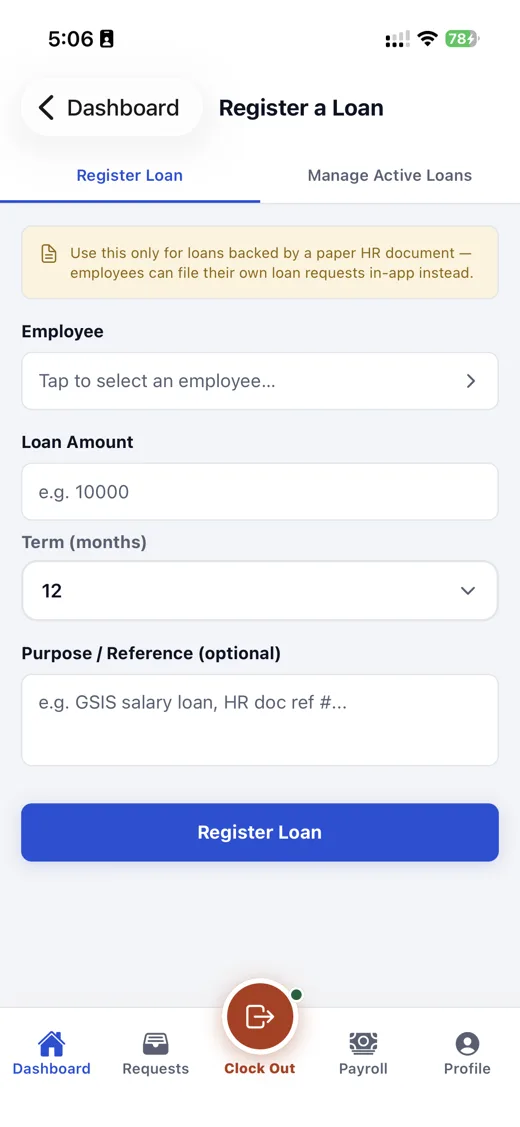
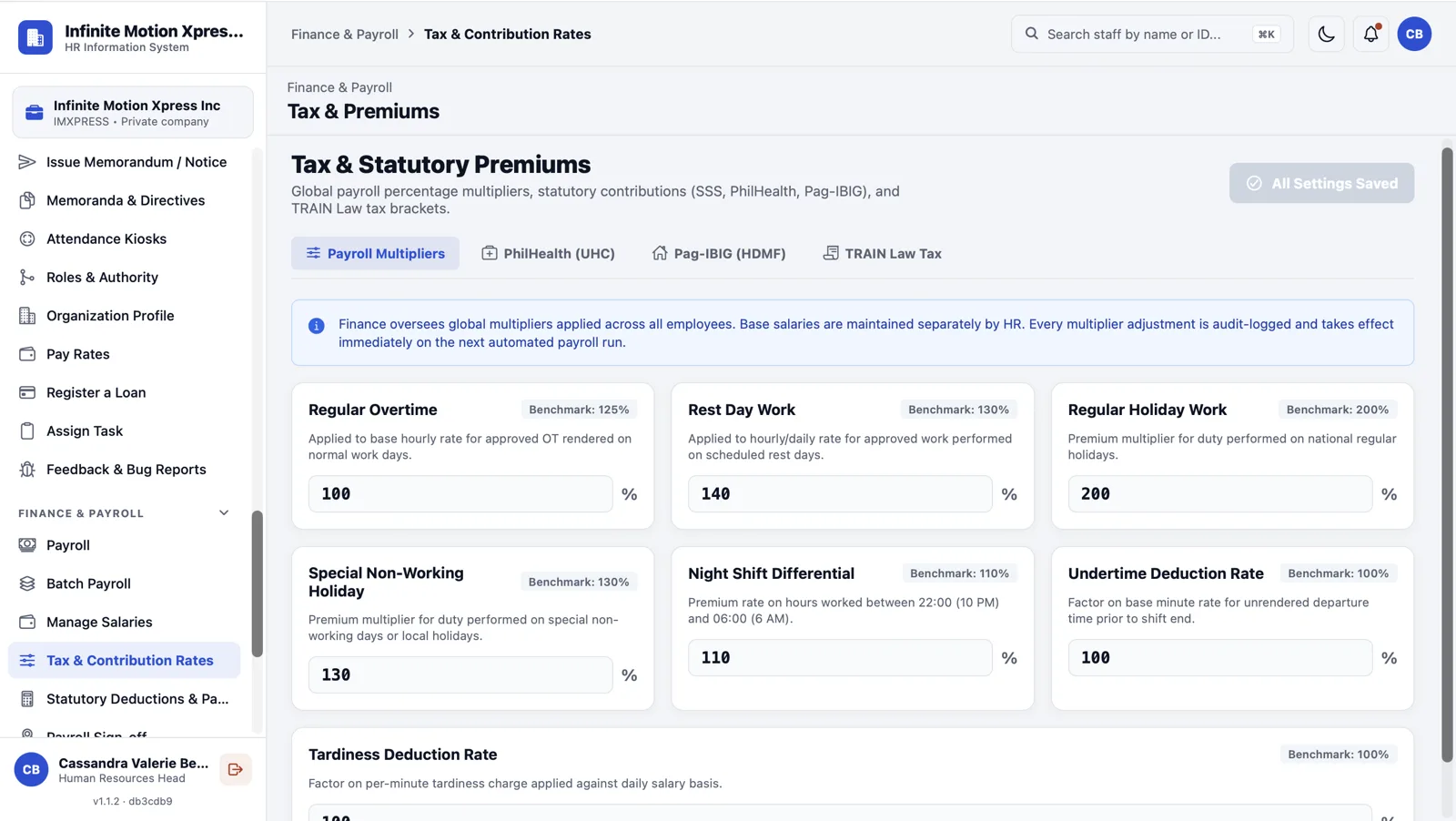
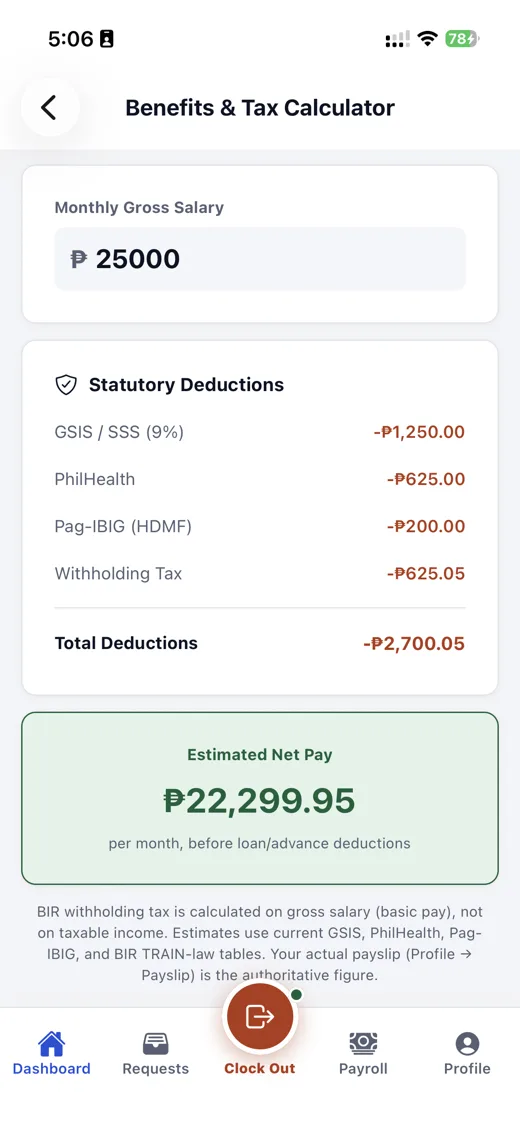
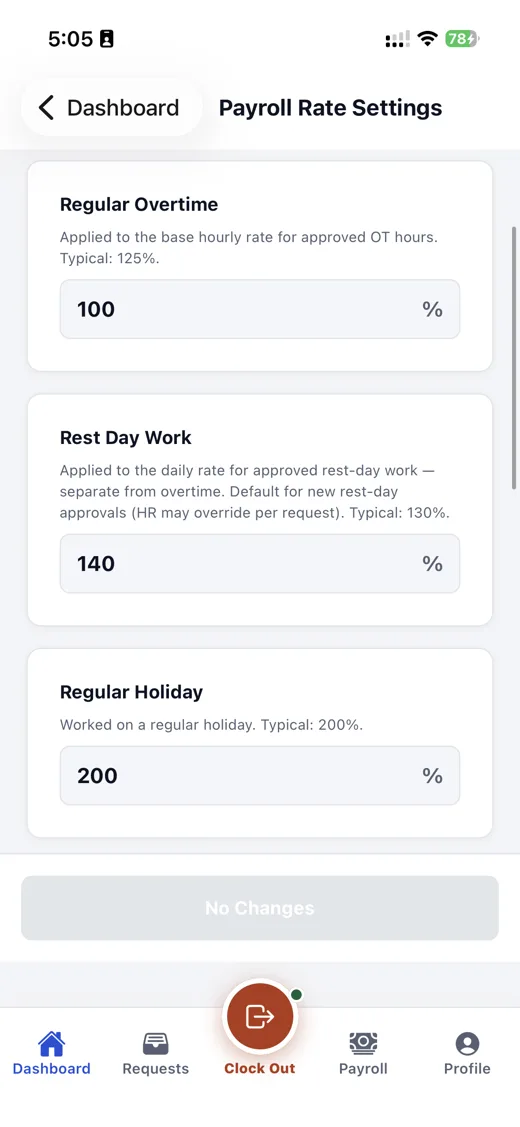
SSS, PhilHealth, Pag-IBIG and withholding tax rates are managed centrally, and staff can see the deductions behind their net pay.
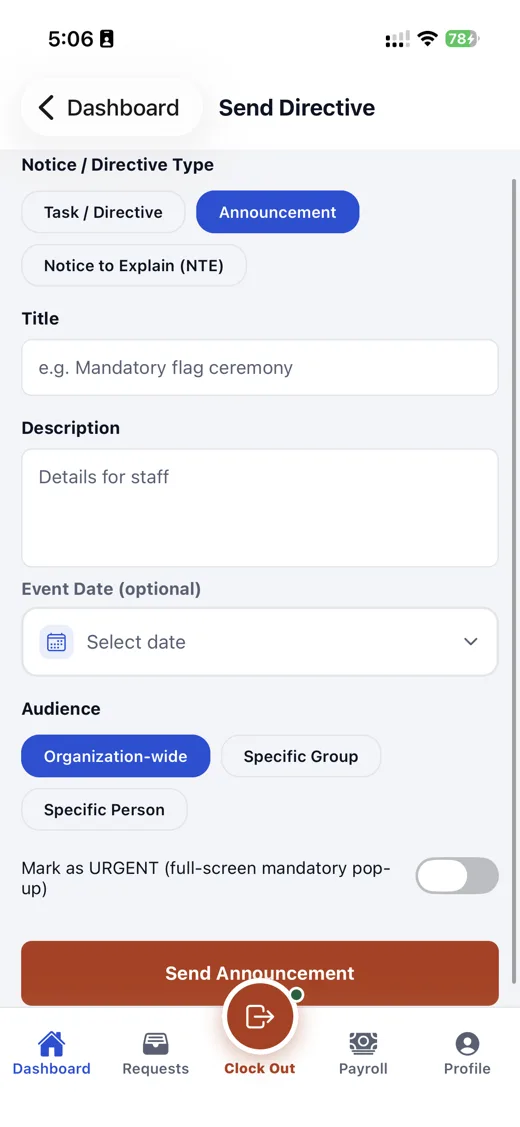
Executives and HR compose a memo or announcement with a live preview, mark it urgent for a full-screen pop-up, and send it to staff.
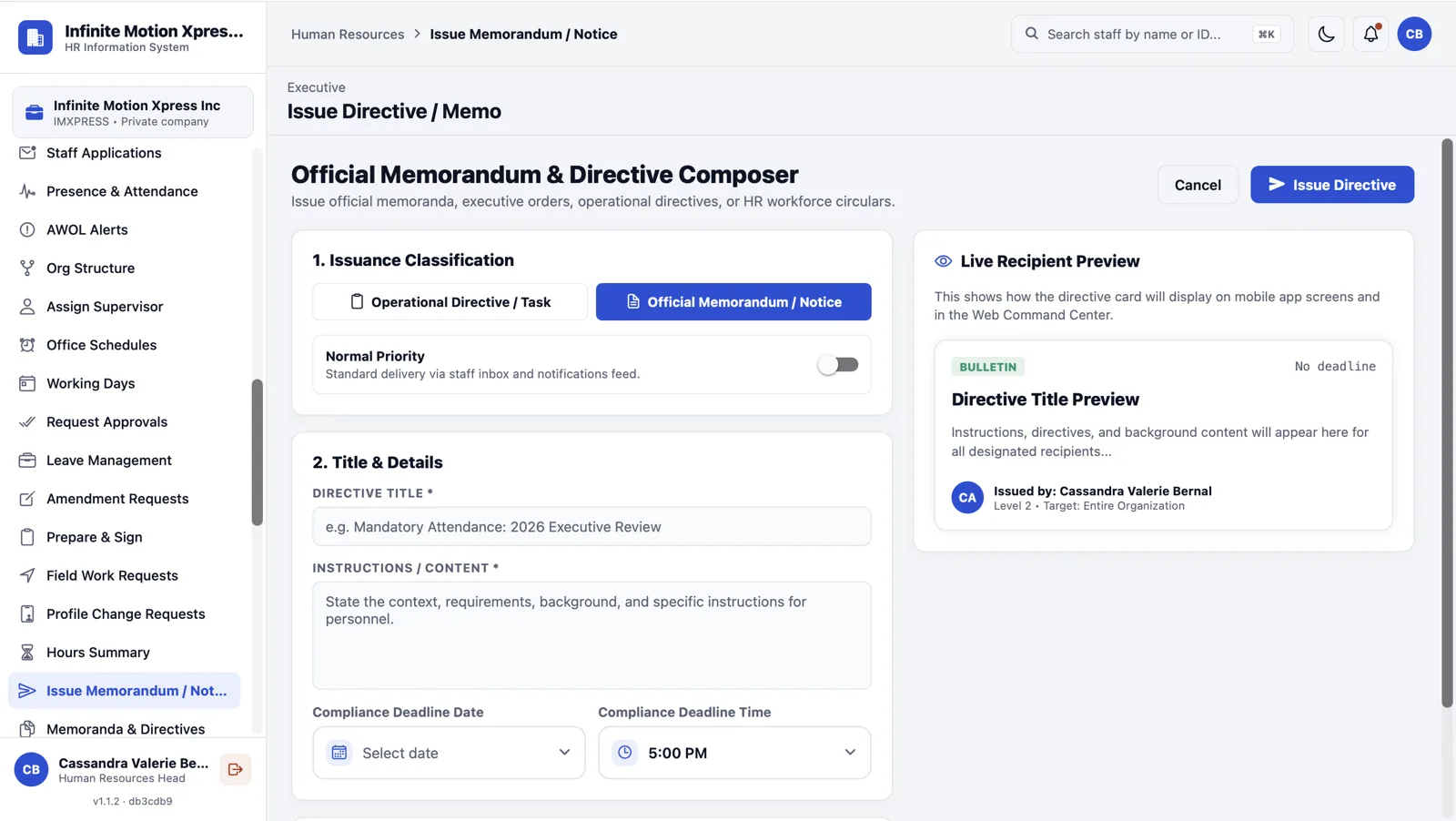
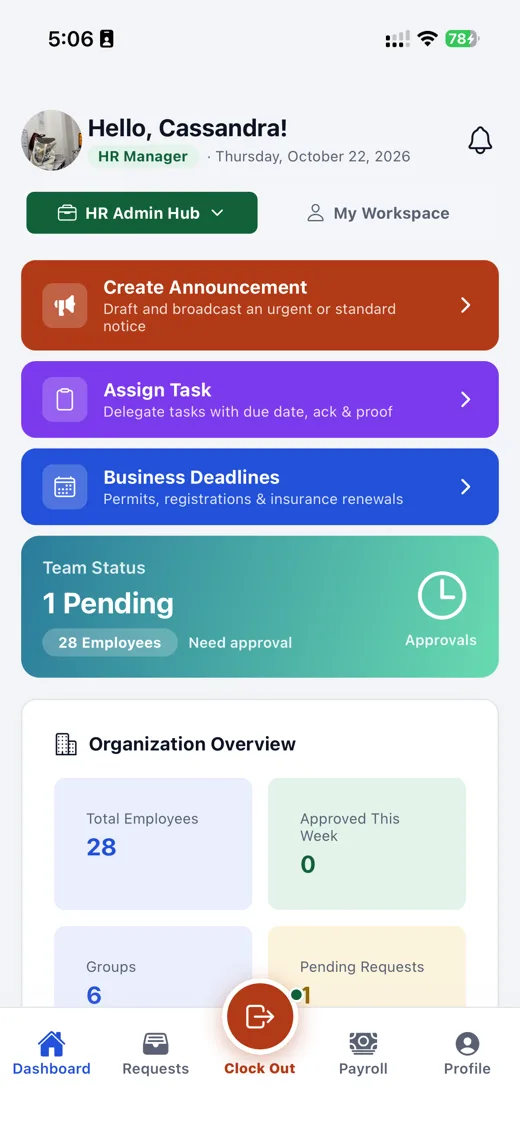
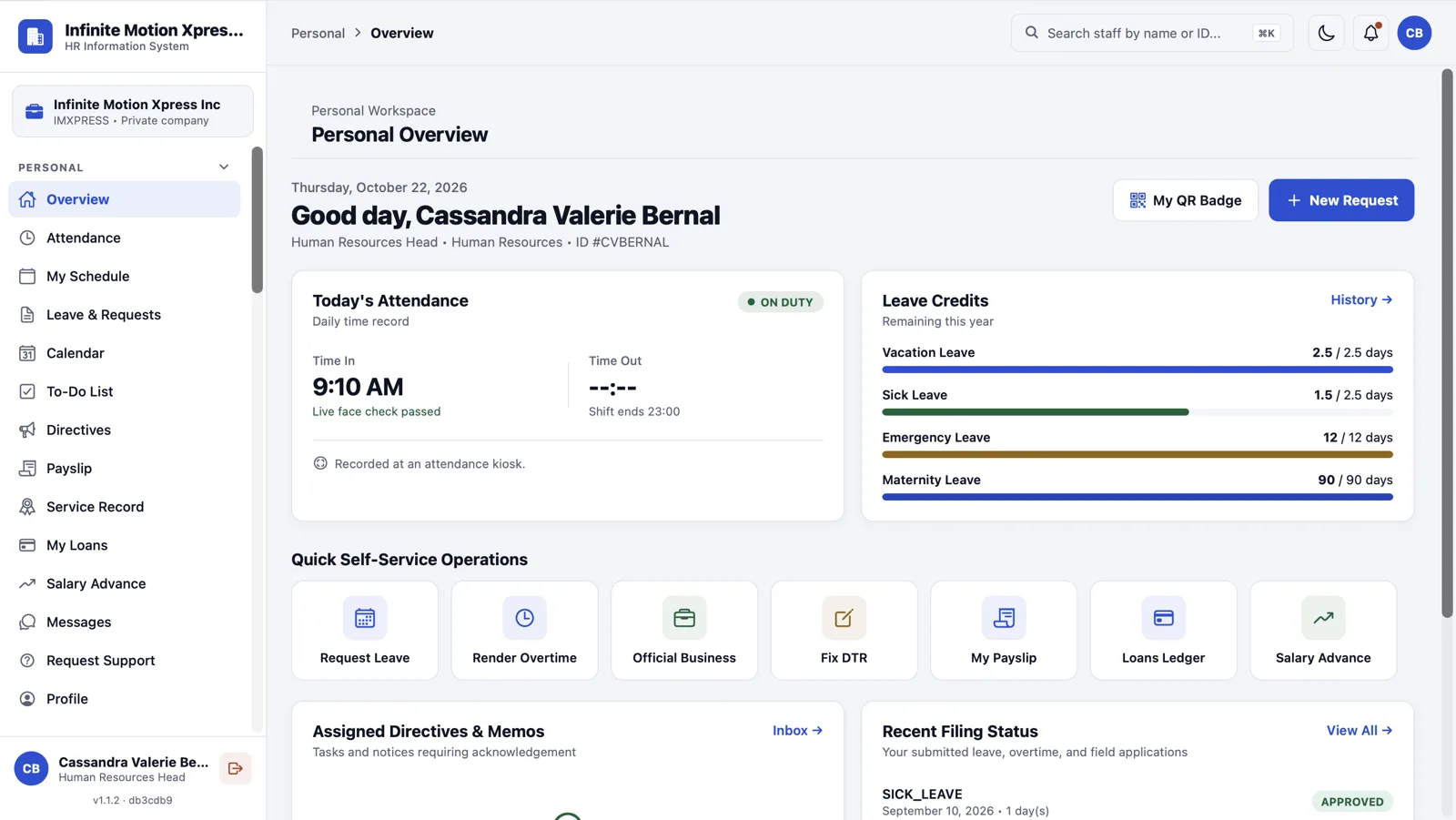
Today's attendance and leave credits at a glance, plus quick actions: file leave, render overtime, fix a DTR, view payslips.
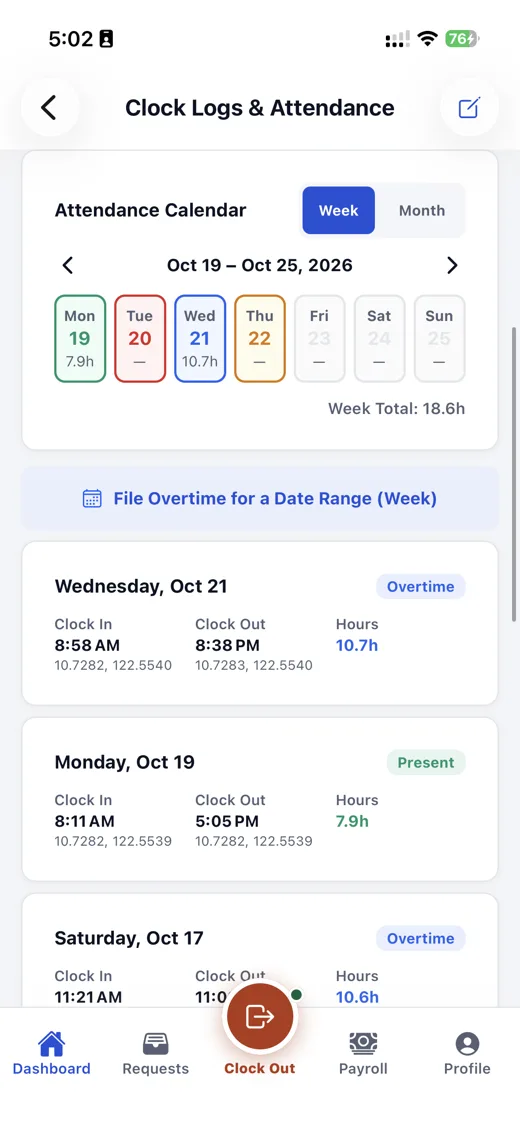
HR onboards new staff step by step into the registry. Employees can re-enroll their face and use it to sign in to the web dashboard.
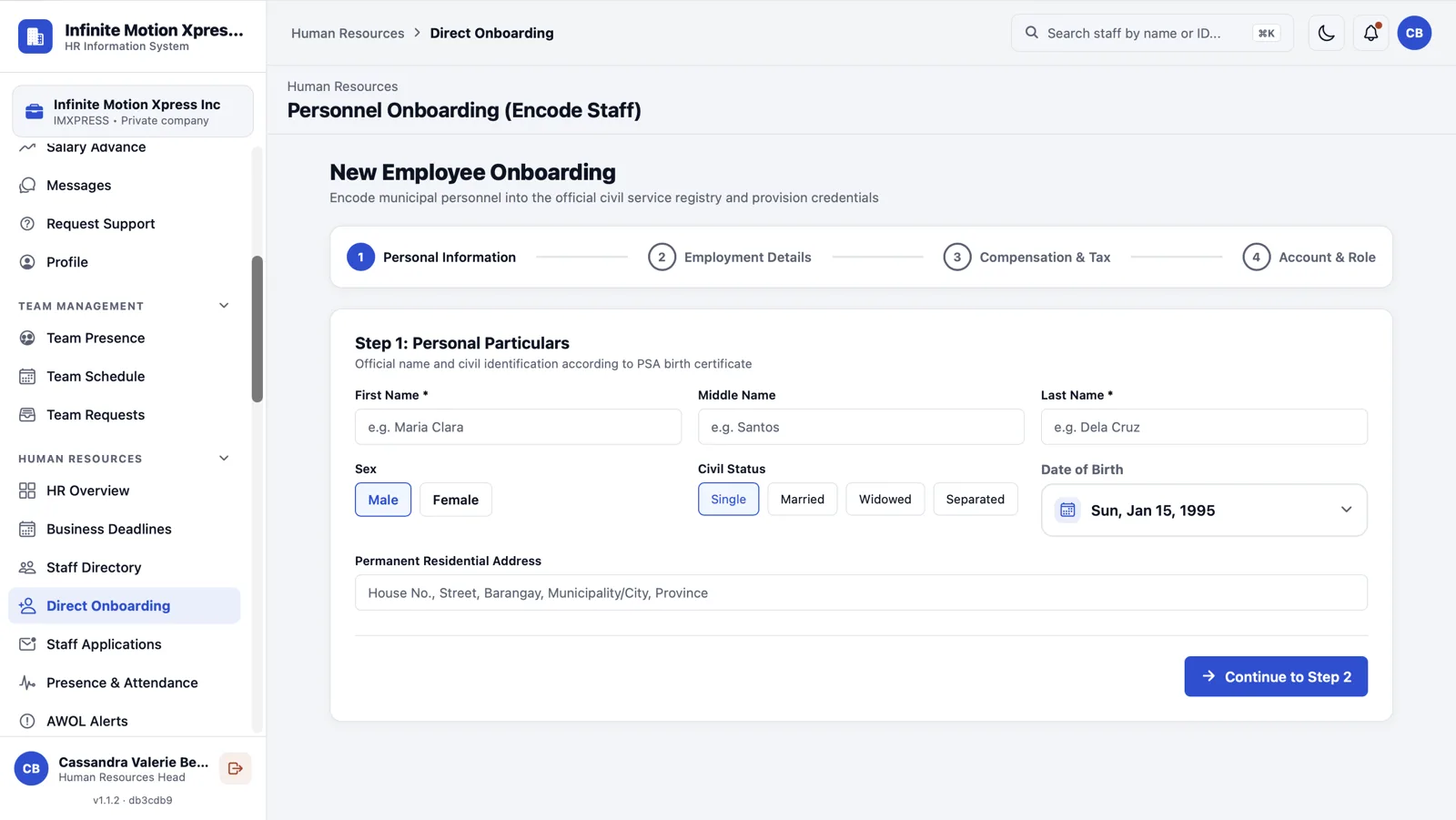
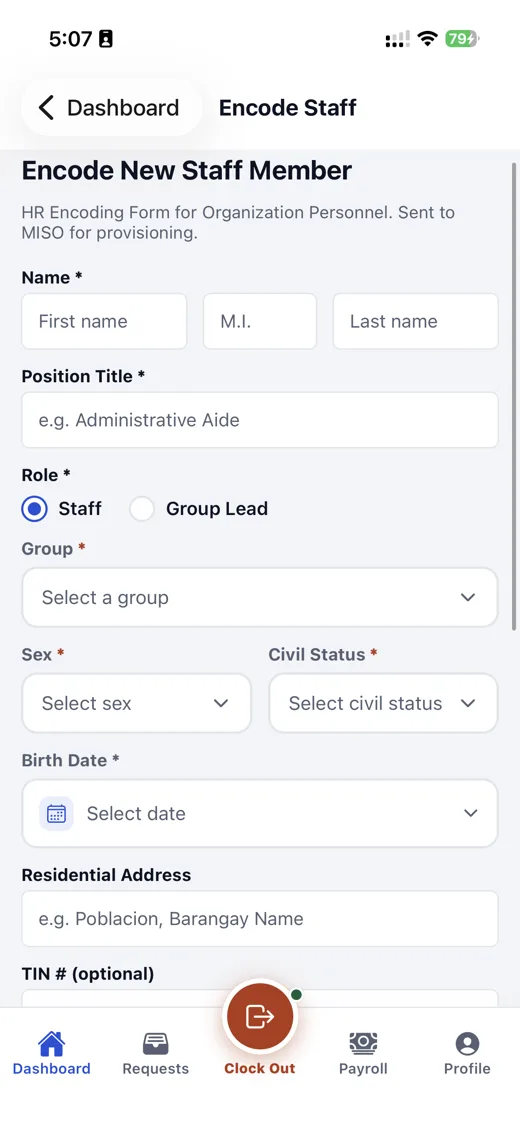
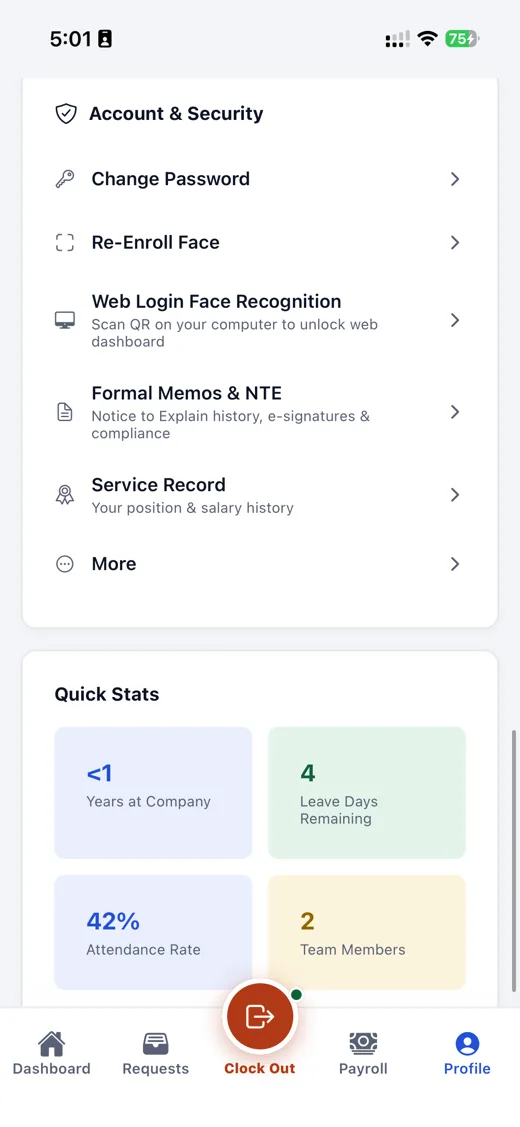
Screenshots of the working system. Swipe, use the arrows, or pick a feature.
Summarize a handbook or company policy, or let staff ask about leave and certificates any hour of the day. Answers come only from what your organization uploads. This demo uses scripted answers; in production the model runs on your own server.
Employee Handbook · Section 4: Attendance and Leave
84 pages · page 1 of 1 shown
All regular employees shall observe working hours from 8:00 AM to 5:00 PM, with a one-hour unpaid meal break. Employees are encouraged to arrive ten minutes before the start of the shift. Arrivals beyond fifteen (15) minutes shall be deducted in proportion to the time missed. Service incentive leave of five (5) days is granted after one year of continuous service. Overtime work must be approved in writing by the department head before it is rendered. Violations of this section are subject to the disciplinary procedures in Section 9.
Summary · generated on your server
Select Summarize to pull out the key points. Each one is highlighted in the document.
The AI engine, the database and the staff apps all sit inside your own network boundary. Nothing crosses it to a public AI service.
Your organization boundary
Private mesh network (Tailscale)Staff apps and kiosks
Phones, tablets and biometric terminals
Workforce 360 server
Payroll, attendance, 201 files, forms
Local AI node
RTX 3060 12GB · quantized open model
Runs on your hardwareDatabase
AES-256 encrypted at rest
Isolated per organizationOutside your network
Built with the Data Privacy Act (RA 10173) in mind: you stay in control of employee records.
Move the slider to match your headcount. The estimate compares manual payroll prep with a Workforce 360 run.
Estimate based on about 0.35 hours per employee per run done manually, versus 0.05 hours with automation. Your results will vary with your setup.
Estimated time saved each month
90 hours
That is 86% less than the 105 hours manual payroll takes.
Staff time freed, at ₱180/hour
₱16,200 per month
A four-step rollout, from first call to your first payroll run.
Week 1
We map your organization tree, add your logo, pre-load salary tables and define GPS geofences for your offices and field sites.
Week 2
Import your 201 roster and leave balances, and set up channels for memos and announcements.
Week 3
Short, friendly orientations for department heads, supervisors and field staff, with hands-on practice on the mobile app.
Week 4
Retire paper logbooks, switch on digital attendance everywhere, and run your first one-click payroll and payroll export.
Pick managed cloud or run it on your own hardware. Figures are estimates; the final quote depends on headcount and site needs.
Businesses and MSMEs, 50–200 employees
₱3,000–₱8,000
per month, by employee count
Fully managed. No servers to run.
Larger companies and hospitals that need full data control
₱150,000–₱300,000
one-time setup, then ₱30,000–₱60,000 per year
Hardware, installation and training included.
We will walk through payroll, biometric sync and the private AI engine using your own scenarios, and show what hardware you would need.